

Blogs
KCPOS Integrated EPOS
KCPOS Integrated EPOS solutions
In today’s fluid market, to succeed in retail you need to be able to react quickly to market demands. An integrated till system that links directly to your stock control and accounts package means that you have access to real-time information at the touch of a button. The same principal can be applied to any retail organisation – from one till on one site to multi-till and multi-site and company wide. This enables you to access on-demand business and company information with up to the minute stock control and cash level from all of your outlets.
Profile Technology Services can provide every aspect of a retail system from terminals, receipt printers, customer displays, barcode scanners, chip&pin and cash drawers – not to mention all the other computing hardware that make up our solutions. We offer a variety of hardware to suit your needs, but if you don’t know which selection to choose, our experienced staff can help design and plan a system with you.
[widgetkit id=189]

Industries
KCPOS solutions are perfect for business in a wide range of industries, each with different requirements for a POS and stock solution.
[widgetkit id=190]
To find out how KC solutions can help your business, call 08000 195101 or email sales@Profile.co.uk to talk to an Account Manager.
KC eCommerce Link
KC eCommerce Smart Link
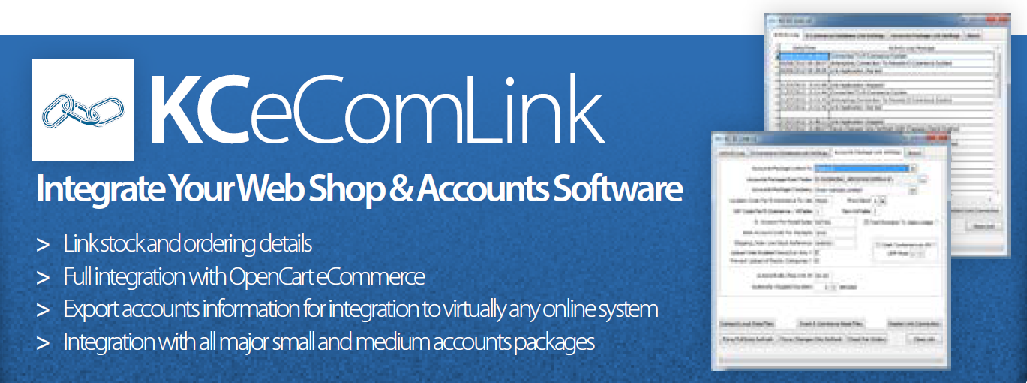
There may be many ways for a customer to interact with your business now, whether it’s via a website or mobile apps, you still want all the data to be available directly in your Pegasus Opera 3 software and KC eCommerce Link is a simple solution that makes that link.
Linking your eCommerce shopping cart to your accounts software has never been easier with KC eCommerce Link, which integrates the popular Opencart eCommerce solution with Opera 3 and also allows for data from your accounts system to be exported to intermediary tables for integration with virtually any online eCommerce or CMS system.
By linking to Pegasus Opera 3 with your online shopping cart you will be able to seamlessly link together your online sales and financial records, so all of your data can be synchronised between the two.
Features:
- Always supported – KC Ecommerce Link is compatible with any third party website
- Live, real time data – Information is instantly shared and updated between your website / app / platform and Pegasus Opera 3
- Efficient stock control – all stock data is accessible and controllable through one channel
- Check your history – View and report on your online sales history
- eCommerce solution – integrates OpenCart eCommerce solution with Pegasus Opera 3
- Fully supported by Pegasus Opera 3 – no need for lengthy development times
Visit our KC homepage to discover the whole suite of KC solutions. If you want to find out more about how KC eCommerce link can benefit your online eCommerce platform and Pegasus Opera 3 please contact us at sales@Profile.co.uk or call us on 0800019510.
Managed Services Contracts
Managed Services Contracts
The cost effective way to obtain the full benefits and security from your IT investment.
Considerable numbers of businesses using accounting or similar software only use a percentage of the functionality available. Are your staff wasting time re-keying data into spreadsheets and other applications or suffering problems due to a lack of internal procedures or training. Of course, its not just the accounting software procedures, if back-ups are not taken correctly or virus updates not applied there is an increased risk of major disruption to the business. Failure to carry out these essential tasks leads to frustration and costs the business in lost productivity and disruption.
Many small and medium sized businesses cannot justify employing skilled staff to manage these systems and the task is often delegated. The truth is that by investing just a percentage of the money that would otherwise be required for dedicated staff in Managed Services, Profile can provide extensive management of your computer systems and Pegasus Business Software. You save thousands on staff costs and benefit from focused consultancy, development and staff training, producing much better results, motivating staff and delivering better value for the business. Managed Services from Profile provides a cost effective way to achieve these objectives and more.
Unlike traditional “training on demand”, Profile’s Managed Services offer a pro-active approach to managing your investment in Pegasus and Microsoft Networking. This includes periodic management reviews to identify new issues, agree where changes need to be implemented and highlight where staff training is required.
This on-going approach delivers many customer benefits including:
- You form a close working relationship with Profile staff
- You save money as we act as YOUR IT department
- You do not need to recruit expensive IT or Pegasus based expert staff
- Management is always up to-date with progress, issues and action dates
- We can provide expert advice to help you achieve more from your Business Software
- Staff take a interest, departments work together and contribute to development
- Improvement reduces unnecessary duplication, reducing costs and improving efficiency
- We can tailor services to meet your exact needs from Managed Services.
- We can carry out your Pegasus end-of-month accounting routines for you.
- The more services you use, the more competitive rates you obtain.
Pegasus Opera – Software Services
(User training, consultancy, development, upgrade installations, remote support, document design, software maintenance and housekeeping)
Computer Network – Microsoft & Networking Services
Management of networks, upgrades, new hardware installation, Virus updates, Email, ADSL, Security & Web services, back-up procedures and testing, pro-active preventative maintenance, remote dial-in support, Asset register, software licensing. Regular Management reporting and recommendations.
How does it work?
Once we have identified the services required and agreed these with you, we will advise you of the total number of days recommended per annum. You would then agree to a minimum number of days (for a maximum of twelve-months or less) for Managed Services. The more days required (there are four pricing bands) the cheaper the day rate becomes.
At the end of each twelve months Profile will assess the total number of days actually used. If this is less than previously invoiced, any unused days will be rolled over. However, if the total days used results in a different banding for the day rate, this difference in the day rate will also be adjusted at the time, it’s as simple as that.
@Profile newsletter – june 2017
@Profile Summer 2017 – Safe & Secure Summer Holidays
Welcome to the Summer 2017 edition of our @Profile newsletter. As the summer months roll around a lot of our customers will be finding the time to escape the rat race and go on holiday, but sometimes leaving your work worries at home isn’t as easy as hopping on a plane; with all the recent high-profile IT incidents in the press recently, the integrity of your business might be playing on your mind.
In this newsletter we’ll be telling you our best tips for protecting against malware & ransomware, giving you our best solutions for firewalls and disaster recovery for peace-of-mind-holidays, and meeting one of our Profile engineers with some information about the importance of regular backups.
Keep your business safe from malware & ransomware
In May of this year hundreds of organisations, most notably the NHS, came under attack from ransomware called Wannacry and more recently businesses have been affected by another ransomware called Petya. Ransomware is a type of infection that holds your files at ransom until you pay up, but what can your business do to prevent it? Profile has 5 proven tips that you can follow right now to stay one step ahead of the hackers and keep your business and important files secure:
- Regularly install patches and updates for Windows and other software
- Routinely change your passwords
- Backup your system daily
- Don’t open emails or attachments you don’t recognise or are unsure about
- Ensure you have the latest protection solutions
Click here to read these tips in depth with more useful hints
The best defence is a good defence
Unlike us humans, your business’s IT system doesn’t come with its own immune system and, unless properly protected, you are leaving your business open to viruses, malware, ransomware and hacks. The best place to start with protecting your business is a physical firewall, by the time software firewalls that exist on your server/PC detect a threat, it’s already on your system, hardware firewalls turn threats away at the door. Profile recommends WatchGuard Firebox T series, one of the highest performing UTM (unified threat management) solutions on the market.
No matter how good your defences are nobody can account for user error or accidents. Email attachments, files from the internet and even harmless looking downloads could have computer viruses and malware hidden away inside them and once they’ve been let through the door they can quickly spread. Having the latest and best email monitoring & antivirus software and ensuring it is up to date is imperative to keeping yourself and your business safe. Profile recommends ESET or Symantec antivirus software, and Symantec Cloud or MX Relay email monitoring, we can suggest the right protection for your business.
If you are at all worried about your current protection or have recently felt the effects of lacklustre solutions, speak to your Account Manager or call us on 01442 236311 to book a free of charge hardware audit. Our team of Profile engineers are fully equipped to identify and suggest the best ways to fix weak points in your defences.
Disaster recovery
Going on holiday is supposed to be a relaxing break from the stress and worries of work, so the last thing you want is the constant niggling feeling of ‘what if there’s an emergency at work?’ Having a disaster recovery solution ready to go at a moment’s notice alleviates any worries of lost files, downtime, and lost profit. Keeping a backup of your data and server offsite or in the cloud should anything happen means that in the event of any emergency your business continues to run without you needing to panic or end your holiday prematurely.
Disaster can strike at any time to any size company, whether the air con in your server room dies and melts your only server, or you’re an international airline and all your servers are affected by a ‘power surge’, having a regular backup is imperative. British Airways learned the hard way, their system was down and all flights cancelled for the entire day on 27th of May, and as they scrambled to get their backups to work tens of thousands of passengers at Gatwick and Heathrow airports were stranded. No business needs to suffer like that.
If you do not already have disaster recovery in place then we can suggest the best way to implement disaster recovery for your system as part of your free of charge hardware audit.
Meet the team – Perry Quigg

Perry Quigg is one of our knowledgeable Profile Engineers and has worked at Profile for 15 years now.
What is your favourite part of the job?
The complete overhaul of a network infrastructure, installation and configuration of all components from the ground up!
What would be your dream holiday?
Vegas, baby!
So this edition of @Profile is about going away on holiday and not having to worry about the safety of your business, is there anything you can recommend?
Regular backups. I can’t stress enough how important backups are, having a copy of your system accessible in case of emergencies is crucial in recovering lost data, combating malware & ransomware, and in the event of a fire, flood or other unforeseen disaster. You should be backing up your entire system daily and keeping a copy off site, whether that be with a physical tape that you take home with you or an online backup that is stored in the cloud.
Fun fact:
Perry enjoys playing virtual reality video games and owns a HTC Vive VR headset.
If you have any questions about backups, please speak to one of our engineers or your Account Manager.
Exchange Server 2007 and Windows Vista end of life
Microsoft recently announced Exchange Server 2007’s end of life back in April, which means Microsoft will no longer support the 10 year old software with updates or patches. This means that anyone who’s system still runs Exchange Server 2007 is using outdated and unsupported software.
Profile recommends upgrading to Office 365 to ensure your business is not at risk from the vulnerabilities that can come from using out of date software. Speak to your account manager about Office 365 and how it can benefit your business.
In another end of life announcement from Microsoft, Windows Vista is no longer being supported by Microsoft as of April 2017. Like Exchange Server 2007, without the latest security patches from Microsoft, you’re putting the safety of your system in jeopardy and following the steps laid out in this newsletter will be a fruitless endeavour. It’s time for an upgrade!
Windows 10 is Microsoft’s current flagship operating system It’s faster, better, has all the latest features and updates, futureproofs your business with the latest operating system, protects your business with the latest security updates. Speak to your Account Manager about how you can upgrade to Windows 10.
Kind Regards,
-The Profile Team
ESET
ESET PROTECT
Having trusted antivirus software running on your system is key to protecting your business from infections which can find their way onto your system through the network and from harmful files that could come from downloads, email attachments or disguised as legitimate software
Get the level of protection that’s right for your business
Protect your business from cyber attacks, ensuring that your company endpoints, business data and users are secured with ESET’s multi-layered technology. ESET PROTECT platform offers customisable security solutions, easy to manage from a cloud console.
Speak to your account manager to find out what solution is best for your business
[widgetkit id=250]
Zetadocs Approvals webinar
Zetadocs Approvals Webinar – Watch now!
Zetadocs Approvals offers simple approval of purchase invoices on screen for companies that use Microsoft Dynamics NAV. It is a cloud service built on the highly scalable Microsoft Cloud, managed for you by experts to offer a reliable service at anytime from anywhere. Accessed from all popular browsers, Zetadocs Approvals leads to faster sign?off of purchasing documents for better relationships with suppliers, helping ensure the smooth operation of your supply chain.
Watch the webinar that was originally presented on Thursday 29th June, where Claire Irving demonstrates how Zetadocs Approvals helps you to:
- Handle approval of purchase documents anywhere, anytime on any device
- Monitor, control and accelerate the approval process using the Zetadocs Approvals online portal
- Save time and money by reducing the cost of accounts payable processes
Click below to watch the recorded webinar now
Zetadocs for NAV is Certified for Microsoft Dynamics NAV, which validates the quality of the solution. Zetadocs works with NAV, however you use NAV.
Over 5,000 companies are already using Zetadocs for NAV, watch this webinar to find out why.
MX Relay spam filtering
MX-Relay Hosted Spam Filtering
Businesses are often targets of spam emails, they can range from harmless sales emails, scammers trying their luck or can contain harmful attachments or Ransomware disguised as regular files. These spam emails can clog up your inbox, making you miss the important emails you need to recieve, or worse can fall into the inbox of an unsuspecting employee and cause crippling infections, or expensive to remove ransomware holding your files for money.
MX-Relay Hosted Spam Filtering catches unwanted spam/junk emails and viruses before they hits your server, all emails go through the MX-Relay Cloud on their way to your inbox so they handle all of the data load. MX-relay is charged monthly per domain name, so every inbox in your network is protected, and with no extra costs based on quantity of emails or number of inboxes.
Speak to your account manager to discuss how MX-Relay can keep your inbox safer and spam free.
WatchGuard Firebox
WatchGuard Firebox
Hardware firewall’s are designed to catch threats before it’s too late. By the time software firewalls that exist on your server/PC detect a threat, it’s already on your system, but hardware firewalls turn threats away at the door.
WatchGuard Firebox is one of the highest performing unified threat management (UTM) solutions on the market, their latest generation of hardware and firmware delivers ground breaking throughput and support for an unprecedented number of concurrent connections, placing WatchGuard well ahead of the competition.
WatchGuard offers a Firebox for every occasion, ranging from tabletop appliances for your office to rack mounted ones for your servers. All your WatchGuard firewalls can be configured and monitored through a centralised management program.
WatchGuard Firebox offers:
- Intrusion Prevention – real-time protection from network threats
- URL Filtering – blocks malicious sites and tools to block inappropriate sites
- Reputation-Based Threat Prevention – real-time protection from malicious sites and botnets using live data
- Application Control – Full control over application restriction on a per user basis
Symantec solutions
Symantec Security
Symantec offer a range of security solutions; including antivirus for your PC, laptop or server, and email protection from harmful files and unwanted spam.
[widgetkit id=153]
Our 5 proven tips to protect your business from Ransomware
Our 5 proven tips to protect your business from Ransomware
As you may have seen in the news, organisations are being targeted by ‘WannaCry’ and other different Ransomware – a type of virus that holds your files at ransom until you pay up, but yours doesn’t need to be one of them!
Profile strongly suggests that you follow these simple, routine things you can do right now to stay one step ahead of the hackers and keep yourself, your important files and your business safe.
Regularly install patches and updates for Windows and other software.
Microsoft, as well as other software vendors, regularly release patches and updates for servers, desktop or laptop PCs, tablets and smart phones. These updates are designed to keep you safe and can usually be done automatically if enabled in the settings. It is also important to ensure that your operating system is on the latest version too.
Routinely change your passwords
Having a simple or easy to guess password that you rarely/ never change is a huge weakness in your security, these viruses are designed to find weak links like this and access your system and files with ease. Changing your password once every 6 weeks and having secure passwords (using numbers, upper case letters and symbols) means one less way for these hackers to get in.
Daily backups
It is essential to have a regular system backups, not only in case of infections but also for disaster recovery. Backups can be cloud based or on a physical tape, and can be set to automatically run at intervals of your choosing. It is recommended that your backup runs at least once a day.
Don’t open emails or attachments you don’t recognise or are unsure about
The simplest way to prevent Ransomware affecting your system is not to let it in, if it’s an email address you don’t recognise, a file you aren’t expecting or a subject you don’t understand, don’t open it or click on any links! Opening suspect emails opens the front door for viruses to enter your system and there’s nothing you can do to stop it once you’ve opened the door. Make sure all your staff are aware of this, as it only takes one email to access your entire system.
Ensure you have the latest protection solutions
Antivirus software, anti-spam filters, and firewalls are designed to prevent or alert users to threats before they happen. Making sure you have the latest version of the best solutions is imperative to the protection of your system.
If you are at all concerned about the safety of your business please talk to your account manager about arranging a hardware and security audit, call us on 01442 236311, or send us an email at sales@profile.co.uk.